Earn, roll and choose what to keep
Use your device’s displayed flip control and watch the balance after the result. At the white fountain’s Coin Gacha, read the selected attempt’s cost before rolling. After the reveal, inspect the result in the coin inventory and equip the coin you intend to use; selecting an action is a separate setting.
Keep rolls within the limit below. After each attempt, decide whether the result suits the task you want to do instead of continuing because some cash remains. The beginner route shows the actual flip, paid roll, reveal and coin-equipment screens.
The calculation
Affordable attempts = floor(max(balance − reserve, 0) ÷ cost per attempt). Use a positive cost; division by zero has no finite answer.
Worked example
These are invented arithmetic inputs, not RE:Heads prices.
| Input | Example |
|---|---|
| Balance | 12,000 |
| Reserve | 7,000 |
| Cost per attempt | 1,000 |
| Affordable attempts | 5 |
Use the result
Five attempts means five fit the example budget; it does not mean a desired coin will appear. Recalculate if the price or reserve changes.
Choose the keeper before the library
First inspect the coin you intend to keep and confirm its equipment state in your own inventory. Record its current enchantment before considering a replacement. If it already serves your goal, keeping the effect is a valid decision; this is not a requirement to reroll every new coin.
From the fountain area, find Library of Arcana. Enter its hanging-curtain doorway and use the interaction inside to open ENCHANT. The landmark guide shows the signed storefront.
Read the starting effect and material count
The example begins with Wealth II shown on the right of the ENCHANT panel and 1 beside the material icon. The ENCHANT button is below the list; AUTO is a separate control. Read the current effect and resource count before deciding whether to risk replacing it.
For a single attempt you intend to inspect, use ENCHANT and wait for the result sequence. The footage does not expose a pointer click, but it shows this panel followed by the native animation and a changed result with the resource spent.
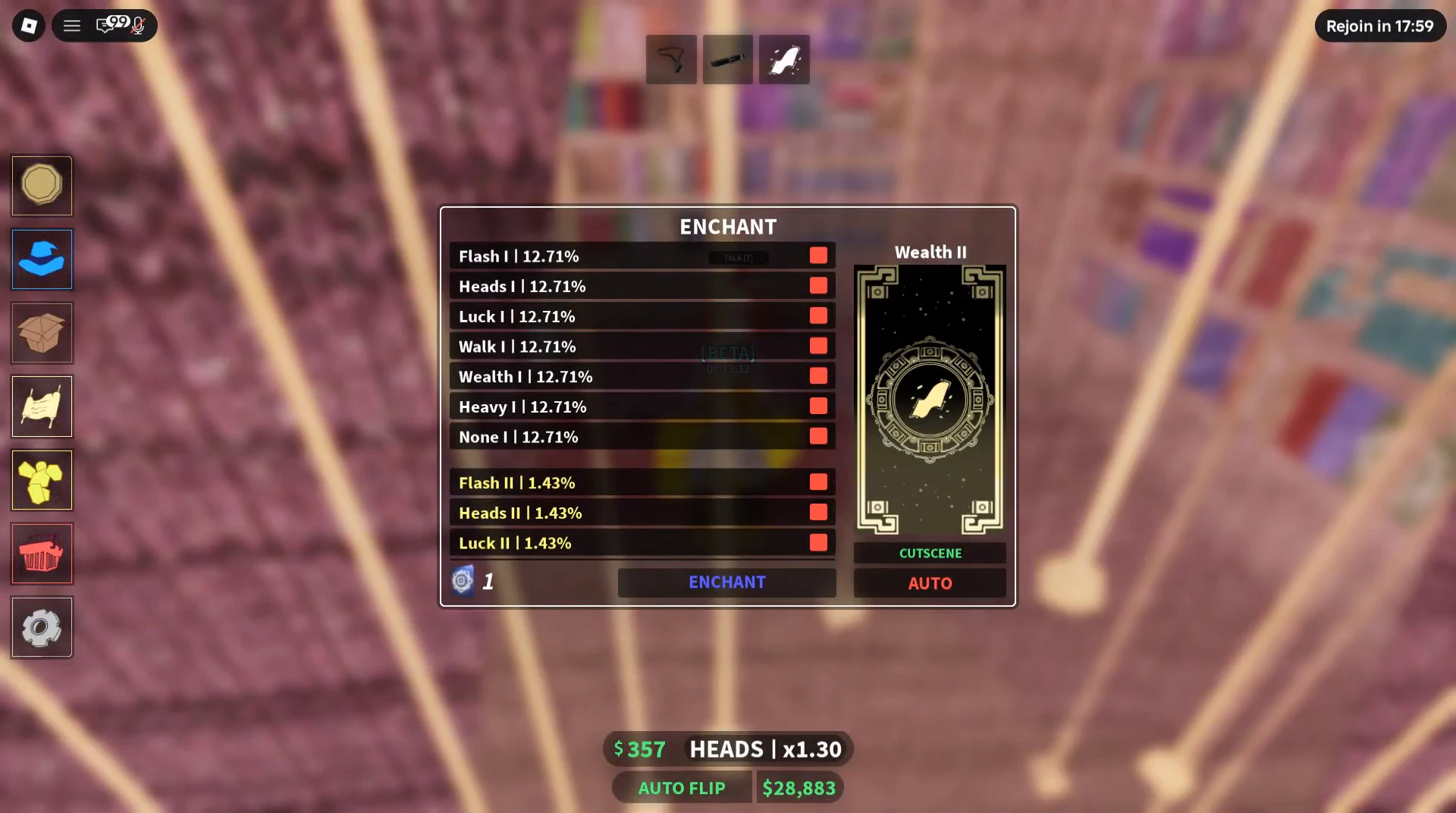
Wait for the reveal
The animation reveals the black card with the barred-circle symbol. Do not decide from the animation alone: read the named result on the returned panel.
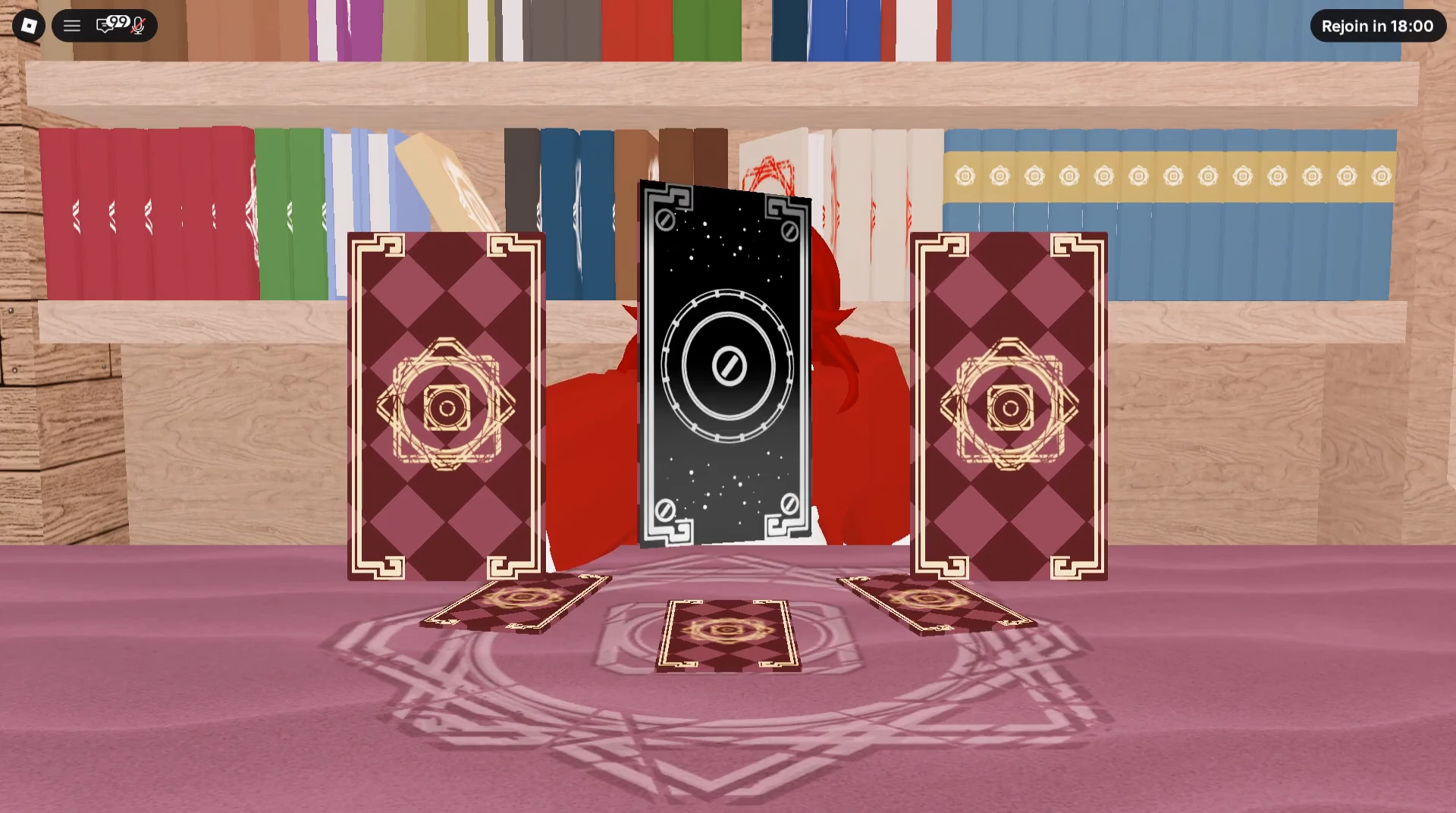
Check the replacement before another attempt
The returned panel reads None I and the material counter is 0. The player subsequently continues flipping outside the panel. This is a completed expenditure with an unwanted replacement, not evidence that enchanting always improves earnings.
Stop and inspect the result instead of automatically spending again to recover the previous effect. Compare the new label with your saved note and check available material. This recording does not reopen the coin inventory to establish a unique coin-copy identity after the result, so verify your own intended coin there before relying on its effect.
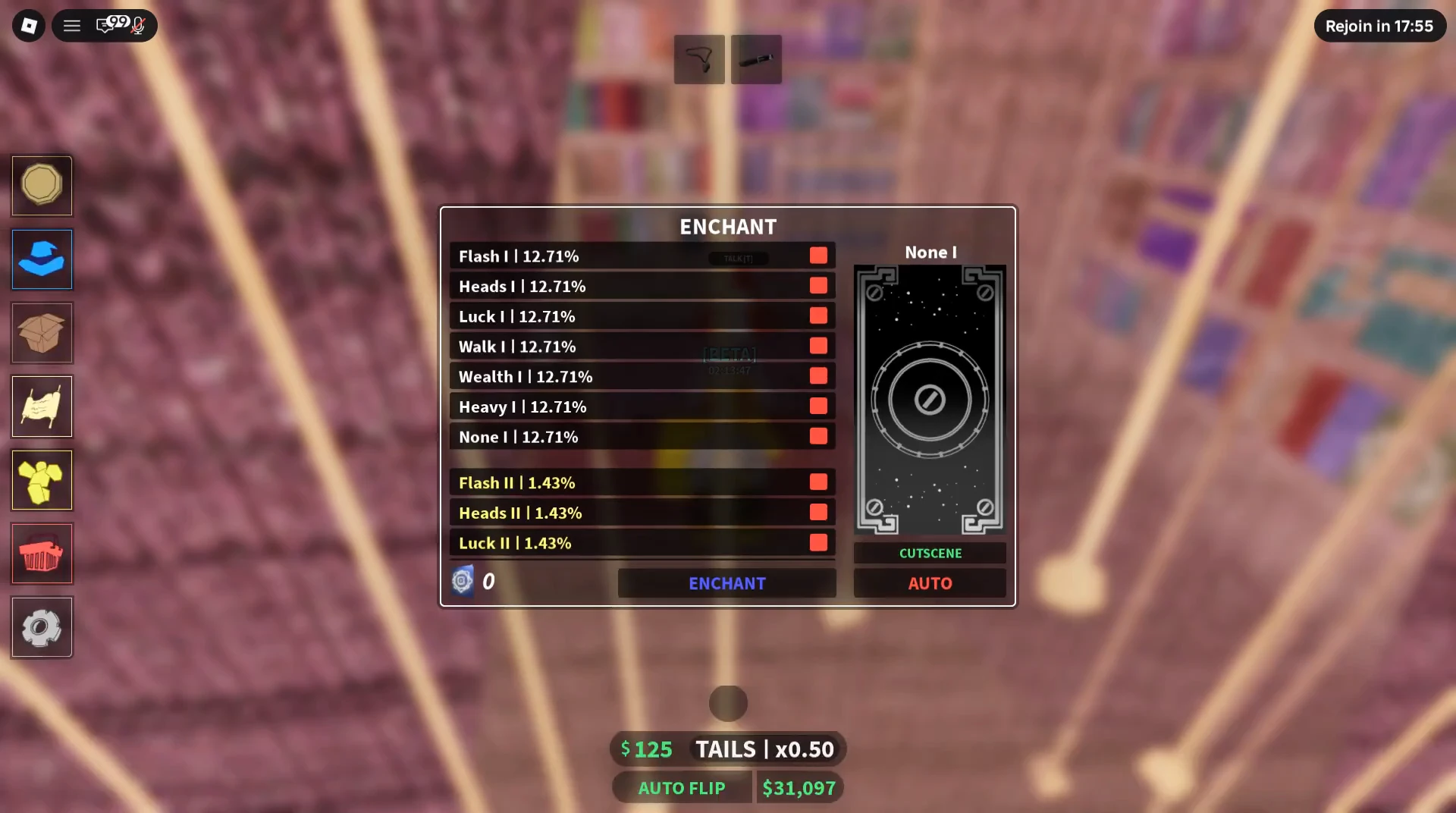
Keep the evidence and budget boundaries clear
The enchantment footage was uploaded August 30, 2026; its exact executable version is unverified. It contains edits and reset clocks, so elapsed video seconds are not a measured enchantment duration or earnings trial.
Do not add an assumed resale receipt from unwanted flipping coins to this budget. A current RE:Heads coin-recycling route has not been established here. The ordinary roll limit and the observed library result do not depend on claiming such a receipt.