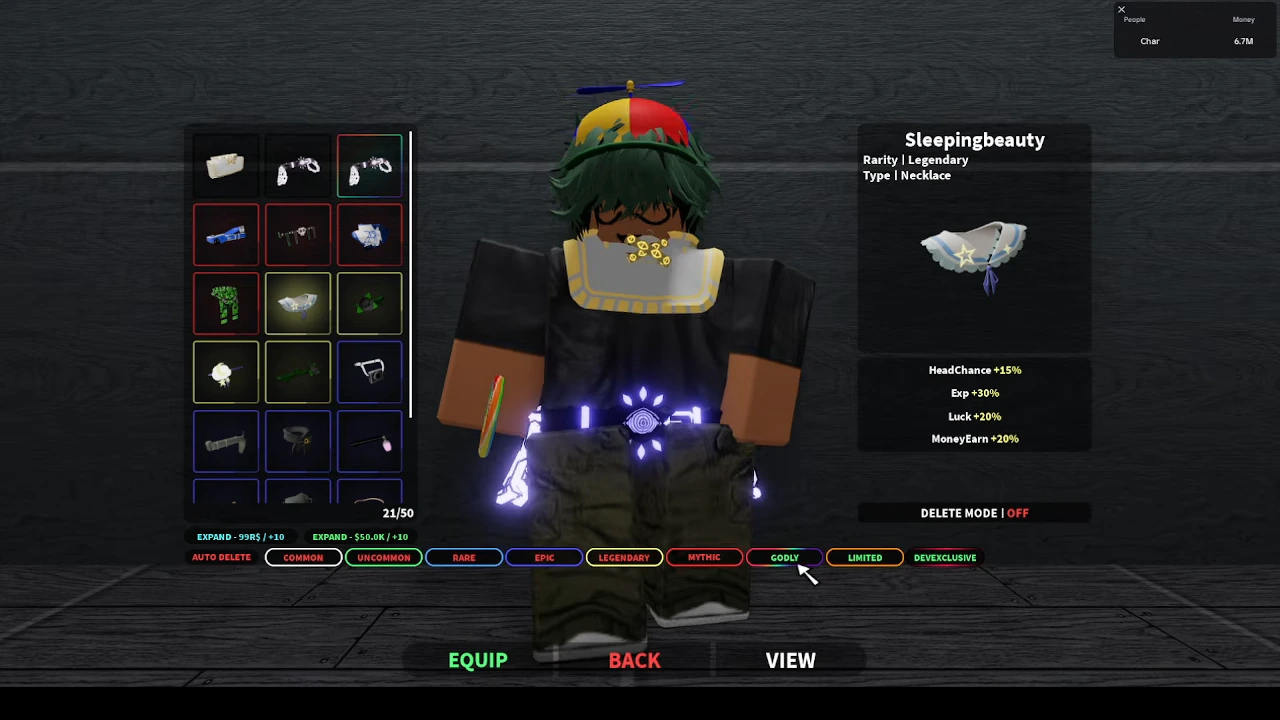
Find the shop from the concourse
From the fountain concourse, follow the wall past the upgrade desk to the white accessory shop. The storefront has large BELT lettering, a black-and-white floor and display stands. Enter and approach the attendant behind the counter; the recorded Talk interaction opens Accessory Gacha.
BoardGuy and Char uploaded their recordings on August 26, 2026; Eggs uploaded on August 18. Their exact beta builds are not verified. The lists and values below belong to those recorded menus. They provide concrete entries to compare with your inventory, without claiming the complete current pool.
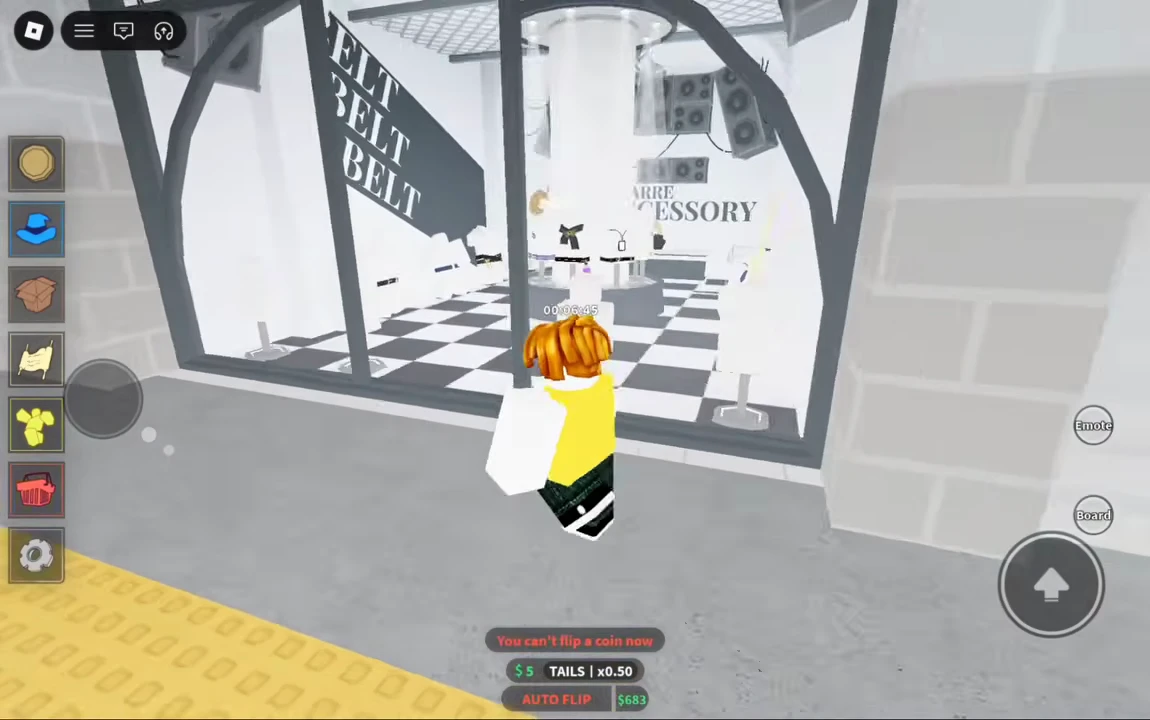
Read the ticket panel before rolling
The August 26 shop menu separates a ticket purchase from the Gacha action. At quantity 1, the ticket panel shows $10,000 and Buy; the separate Gacha area shows the ticket balance. Paying attention to that distinction prevents treating the ticket price as the cost of a guaranteed named accessory.
Seraphim appears at the top of this recorded pool. This is a newer visible listing than the August 18 example used for the Photographer panels. A name missing from an older frame is not evidence that it is unavailable now. This page does not combine the two recordings into a current full roster.
Four fully read accessory panels
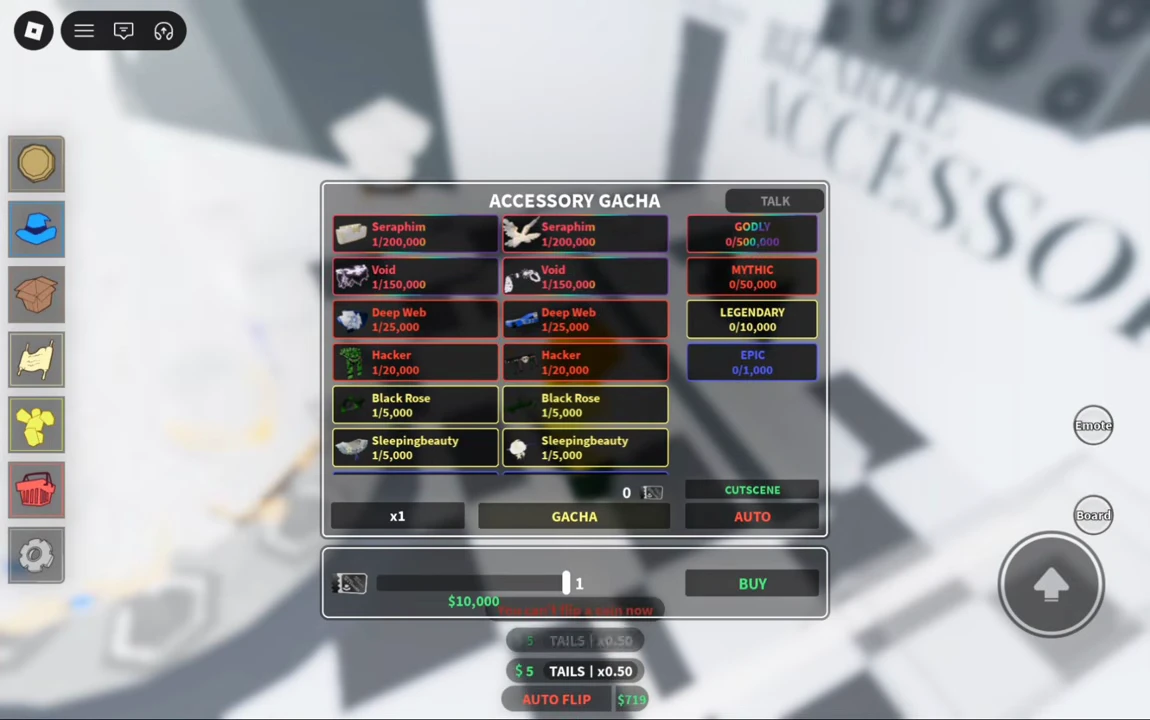
Each row combines the displayed family name with its Type. The percentages are individual tooltip lines, not measured changes to total income. The two Photographer items have the same three listed effects in this recording, but occupy different types.
| Accessory / Type | Rarity | Recorded effects | Displayed state / upload date |
|---|---|---|---|
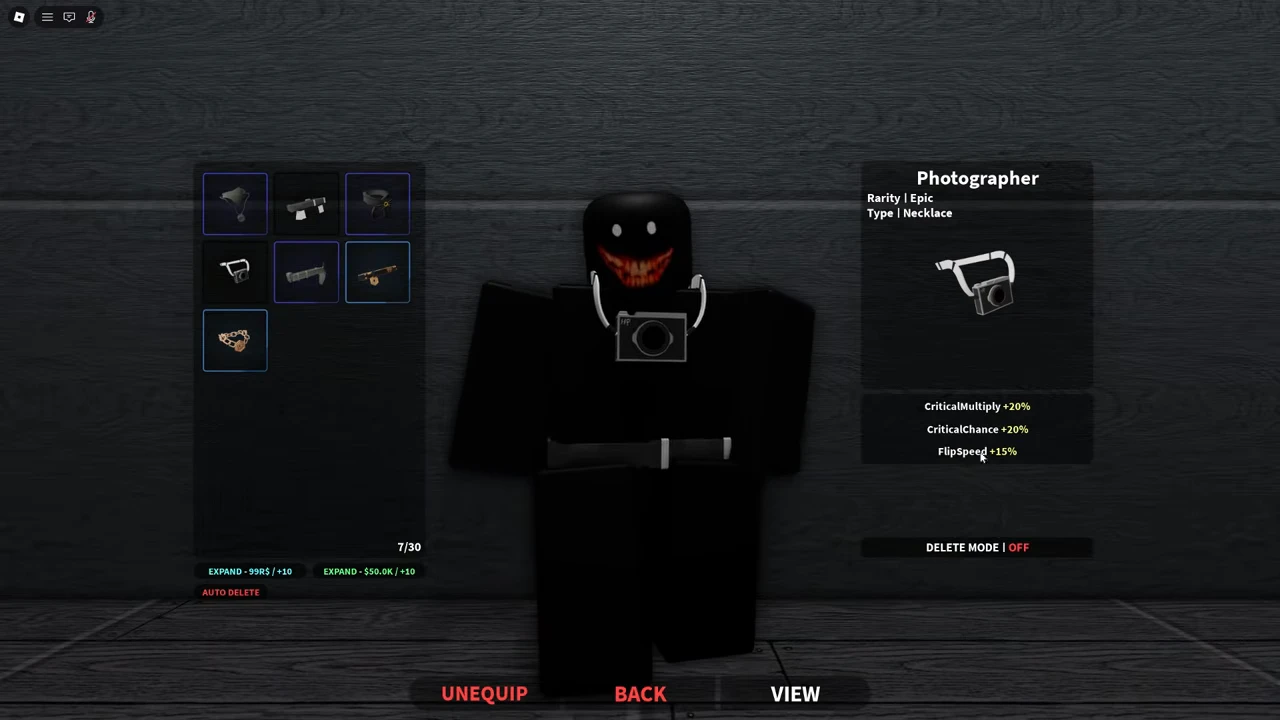
| Photographer / Necklace | Epic | CriticalMultiply +20%; CriticalChance +20%; FlipSpeed +15%. | Unequip / August 18 |
| Photographer / Belt | Epic | CriticalMultiply +20%; CriticalChance +20%; FlipSpeed +15%. | Unequip / August 18 |
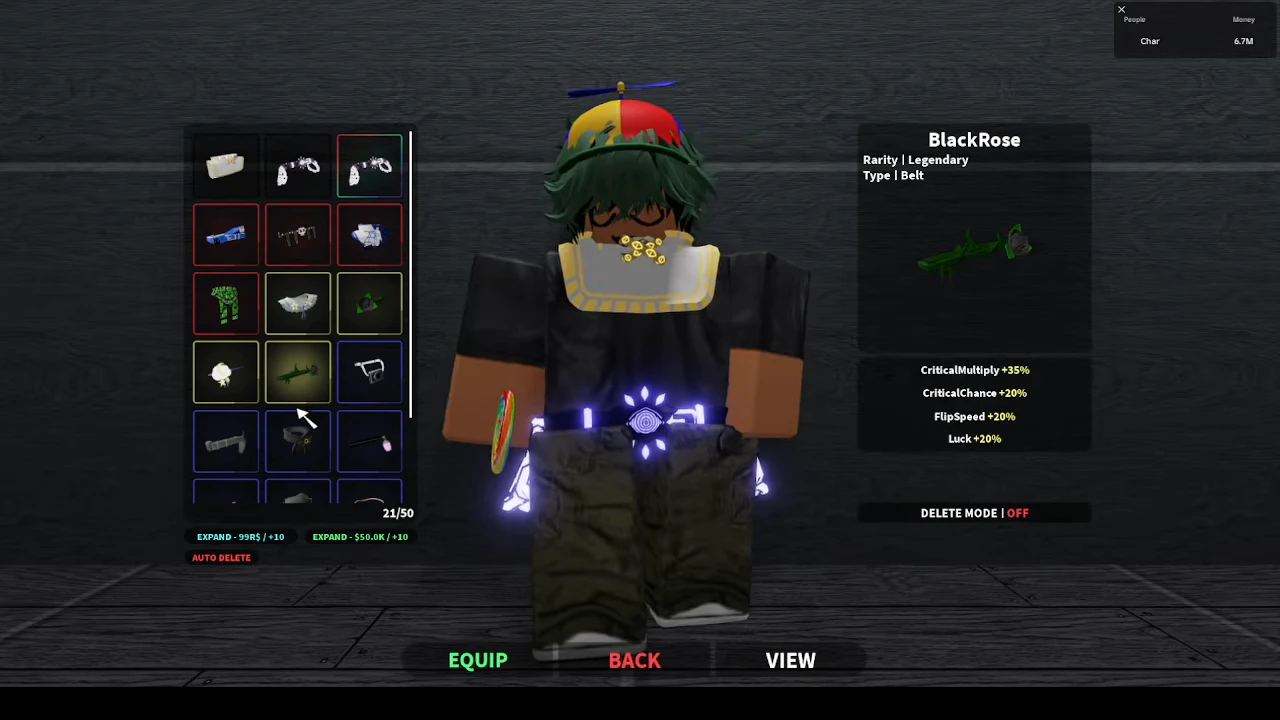
| BlackRose / Belt | Legendary | CriticalMultiply +35%; CriticalChance +20%; FlipSpeed +20%; Luck +20%. | Equip / August 26 |
| Sleepingbeauty / Necklace | Legendary | HeadChance +15%; Exp +30%; Luck +20%; MoneyEarn +20%. | Equip / August 26 |
Compare the same type and the effect you need
For a belt choice, compare the Photographer and BlackRose belt rows. Both list CriticalMultiply, CriticalChance and FlipSpeed; BlackRose also lists Luck in its own panel. The dates differ, so check your current item panels before treating these historical numbers as today’s upgrade values.
For a necklace choice, Photographer lists critical and flip-speed effects, while Sleepingbeauty lists HeadChance, Exp, Luck and MoneyEarn. These are different effect sets. A Legendary label alone does not tell you which combination serves your next task, and the panel does not supply a formula that converts every percentage into cash per minute.
Turn the comparison into your personal inventory
Select an item in the accessory inventory, then read Type and Rarity at the top of its detail panel. Keep necklace and belt entries separate even when their family names match. Record your own visible values when they differ from the examples.
The Photographer panels show Unequip, which is the recorded equipped state. The BlackRose and Sleepingbeauty panels show Equip; highlighting either item did not make it the one worn. If you want the inspected item, use its Equip action and check the resulting selected-item state before returning to play. This instruction uses the visible menu states; the source images are not a filmed before-and-after equip transaction.
Keep Owned and Equipped as separate notes. The examples show items present in the inventory while Equip remains available. Leave Delete Mode off while making this comparison; deletion is a different action from selecting or equipping.
- Select an owned accessory and write its family name plus Type.
- Copy its Rarity and each effect as separate fields; add the date you checked your own client.
- Note whether the selected item offers Equip or Unequip.
- Use Equip only for the item you intend to wear, then check its resulting state.
- Repeat for the other type; do not mark every owned accessory as equipped.